
Every day, people use websites, mobile apps, and software to shop, learn, communicate, and manage everyday tasks. What makes these digital products easy to navigate and enjoyable to use isn’t just their appearance—it’s the result of thoughtful UI/UX design.
Whether you’re exploring UI/UX as a career, curious about how digital products are designed, or looking for learning opportunities in Nepal, this guide covers the fundamentals, the design process, career opportunities, salary expectations, and how to get started.
What is UI/UX Design?
UI/UX design is the process of creating digital products that are both visually appealing and easy to use. UI (User Interface) is how a website or app looks and feels; UX (User Experience) is how smoothly and usefully it works for the people using it.
A simple way to understand the difference is to imagine a house. UI is how the house looks, from its paint and furniture to its decoration. UX is what it feels like to live there, whether the rooms are easy to move through, the doors are open where you expect, and the space is comfortable and practical.
Together, UI and UX design help create websites, mobile apps, and digital products that not only look great but also solve users’ problems and make everyday tasks easier.
What is UI (User Interface) design?
User Interface (UI) design is the process of designing the visual parts of a website, mobile app, or software that users see and interact with. It focuses on creating interfaces that are attractive, consistent, and easy to use, so users can complete tasks without confusion.
Everything you see on the app screen, such as buttons, menus, icons, colors, and text, is part of the user interface. A well-designed UI makes the product look professional and helps users know what to do next.
What Does UI Design Cover?
UI design involves creating visual elements that make a digital product easy and enjoyable to use. Some of the key parts of user interface design include:
- Visual design: Choosing the overall look of the product, including icons, images, spacing, and styling.
- Layout: Organizing content and interface elements so users can quickly find what they need.
- Typography: Selecting fonts, text sizes, and spacing that make content clear and easy to read.
- Color: Using colors to improve readability, highlight important actions, and create a consistent brand identity.
- Interactive elements: Designing buttons, forms, menus, sliders, and other clickable elements that users interact with.
- Design systems: Creating a reusable collection of design rules and components, such as buttons, colors, and fonts, to keep every screen consistent.
Good UI design is more than just making a website or app look attractive. It helps users understand how to interact with the product, reduces confusion, and creates a smooth, consistent experience across every screen.
What is UX (User Experience) design?
User Experience (UX) design is the process of creating products that are easy, useful, and enjoyable to use. It focuses on understanding users’ needs and designing experiences that help them complete tasks smoothly, without confusion or frustration.
Unlike UI design, which focuses on how a product looks, UX design focuses on how it works. UX designers think about the entire journey a user takes, from opening a website or app to completing their goal, whether that’s shopping online, booking a ticket, or filling out a form.
What is UX (User Experience) cover?
UX design is about making digital products work well for the people using them. Some of the main areas of user experience design include:
- User research: Learning about users’ needs, goals, and challenges through surveys, interviews, or observation.
- Information Architecture: Organizing content and features so users can easily find what they are looking for.
- User flows: Planning the steps users take to complete a task, such as signing up, making a purchase, or booking an appointment.
- Wireframing: Creating simple layouts that show where content and features will appear before the visual design begins.
- Usability testing: Watching real users interact with a product to identify problems and improve the experience before launch.
The goal of UX design is to remove obstacles and make every interaction as simple and intuitive as possible. When users can achieve their goals quickly and without frustration, the experience feels natural, even if they do not notice the design itself.
UI vs UX: What’s the difference?
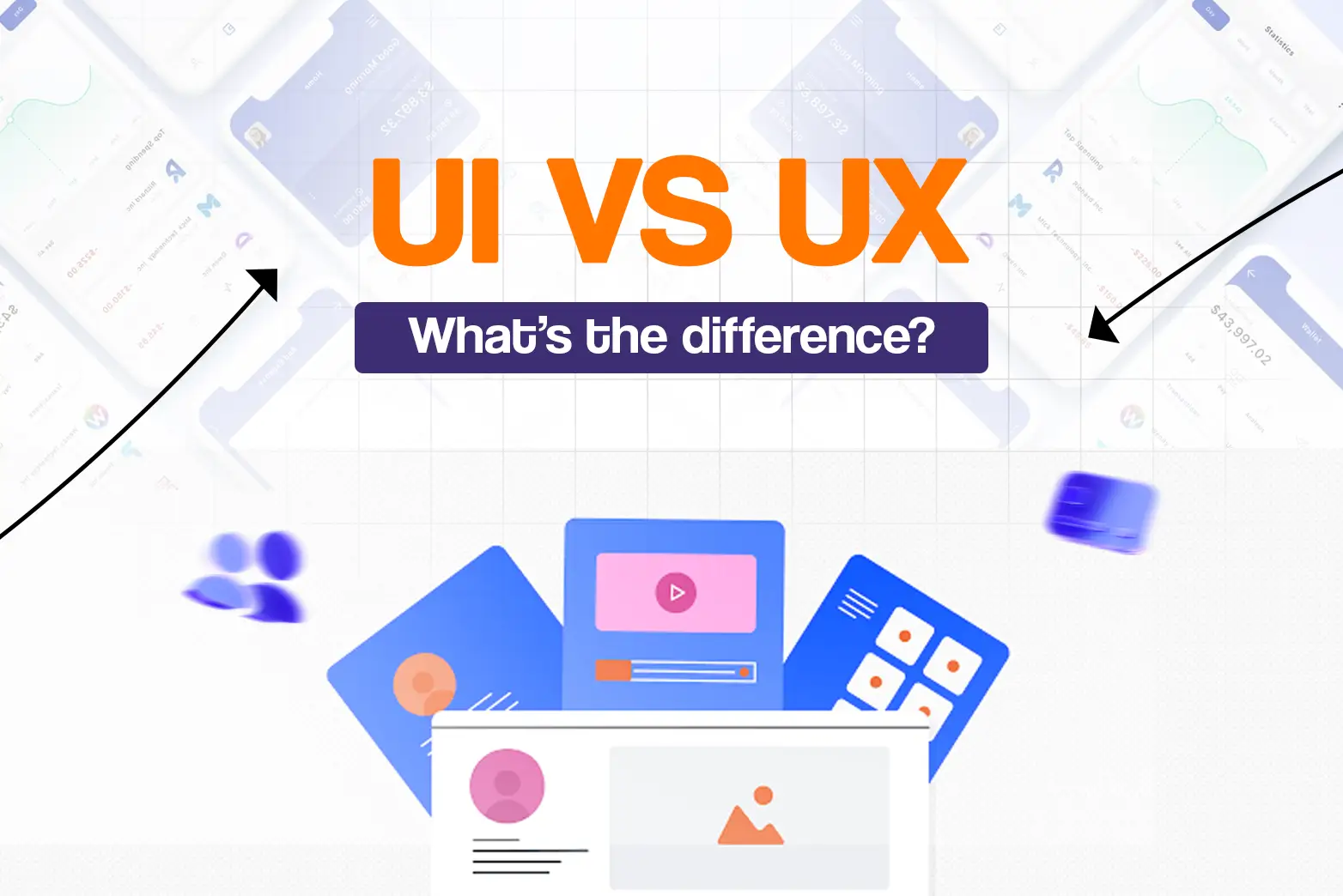
The main difference between UI and UX is that UI (User Interface) design focuses on how a digital product looks and feels, while UX (User Experience) design focuses on how it works and how users experience it. Both are essential for creating websites, apps, and software that are visually appealing and easy to use.
A simple way to remember the difference is: UX is the journey. UI is the destination’s look and feel.
Here’s a quick comparison:
Aspect | UI (User Interface) Design | UX (User Experience) Design |
Focus | The visual appearance of product | The overall user experience and usability |
Goal | Create an attractive, consistent, and intuitive interface | Make the product easy, efficient, and enjoyable to use |
What they do | Design layouts, buttons, icons, colors, typography, and other visual elements. | Conduct user research, create user flows, build wireframes, and test usability |
Common tools | Figma, Adobe XD, FigJam, Miro | |
Key skills | Visual design, typography, color theory, layout, attention to detail | User research, problem-solving, empathy, information architecture, usability testing |
While UI and UX focus on different aspects of design, they work together to create a complete user experience. UX ensures a product is functional and easy to use, while UI makes that experience visually engaging and intuitive. A successful digital product needs both.
What does a UI/UX designer do?
A UI/UX designer creates digital products that are both visually appealing and easy to use. They understand users’ needs, design intuitive interfaces, and improve the overall experience to help users complete tasks smoothly.
A UI/UX designer is involved throughout the design process, from understanding user problems to creating and refining the final design. Together, they create products that are functional, attractive, and enjoyable to use.
A UI/UX Designer’s Day-to-Day Responsibilities:
Although responsibilities vary by company and project, a UI/UX designer typically:
- Conducts user research to understand users’ needs and pain points.
- Organizes information and plans user journeys.
- Creates wireframes to map out page layouts and screen structures.
- Builds interactive prototypes to test ideas before development.
- Designs visual elements such as buttons, icons, colors, and typography.
- Test designs with users and improve them based on feedback.
- Works with developers to ensure the final product matches the design.
To carry out these tasks, UI/UX designers commonly use tools like Figma and Adobe XD to create interface designs, build interface prototypes, and collaborate with developers and other team members.
In Nepal, UI/UX designers are increasingly hired by software companies, digital agencies, startups, and even banks and e-commerce platforms as more businesses build websites and mobile apps that people enjoy using.
The UI/UX design process
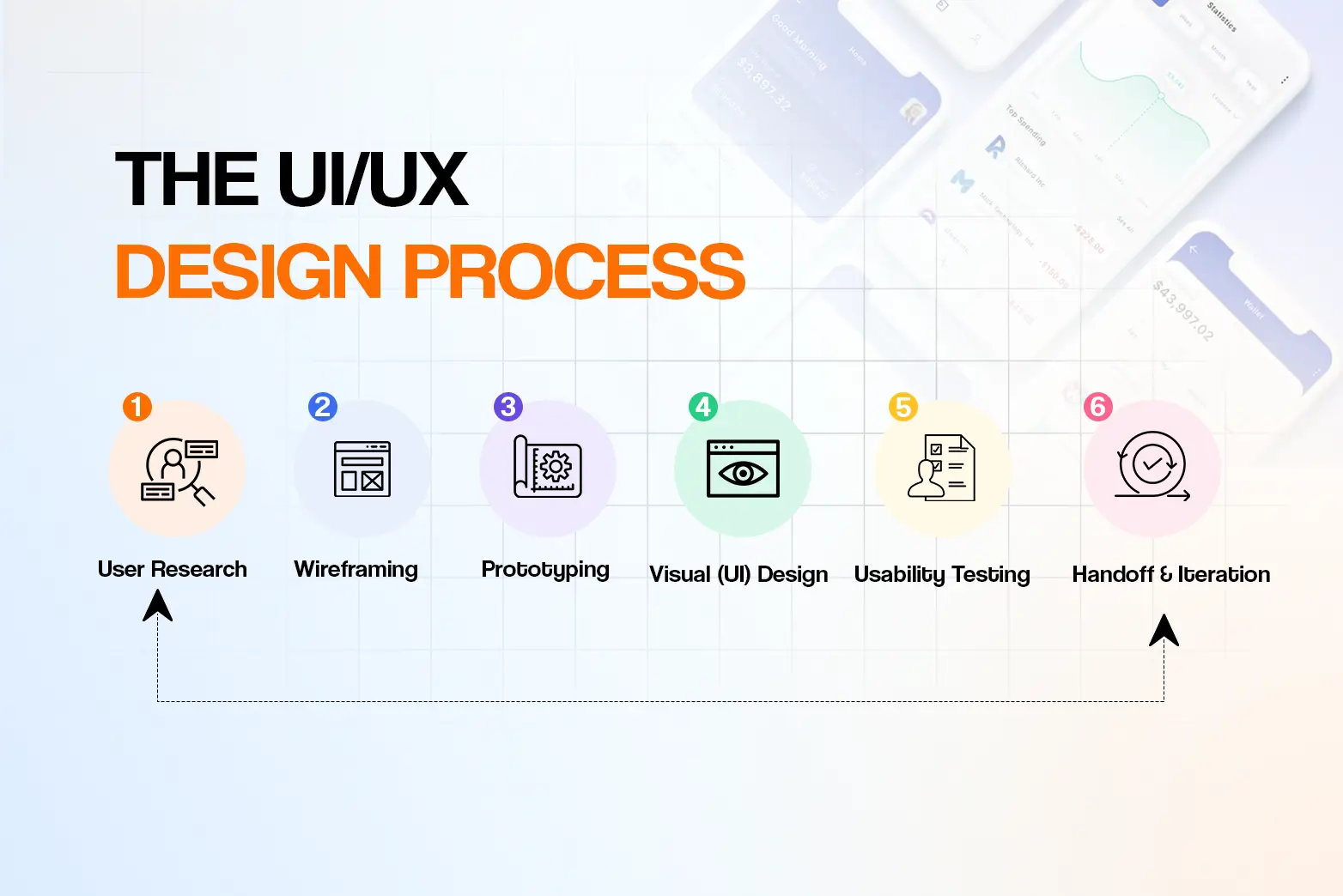
Creating a great digital product does not happen all at once. UI/UX designers follow a structured process to understand users, develop ideas, test solutions, and improve the final product. While the exact process may vary between projects, these are the six key stages.
1. User Research
Every successful design starts with understanding the people who will use it. Designers gather information through interviews, surveys, observations, or competitor analysis to learn about users’ needs, goals, and challenges. These insights help ensure the product solves real problems instead of relying on assumptions.
2. Wireframing
Once the research is complete, designers create wireframes. These are simple sketches or blueprints that show where different elements, such as menus, buttons, and images, will be placed. Wireframes focus on structure and functionality rather than colors or visual details.
3. Prototyping
Next, designers turn wireframes into interactive prototypes. A prototype allows people to click through screens and experience how the product will work before any development begins. This makes it easier to identify problems and test ideas early.
4. Visual (UI) Design
After the layout is finalized, designers create the product’s visual appearance. This includes colors, typography, icons, images, and other interface elements that reflect the brand while making the product clear and engaging to use.
5. Usability Testing
The design is then tested with real users to see how easily they can complete common tasks. Feedback from testing helps identify confusing areas, improve navigation, and fix usability issues before the product is launched.
6. Handoff and Iteration
Once the design is ready, it is handed over to developers for implementation. After launch, designers continue to collect feedback, monitor user behavior, and make improvements over time. This ongoing process of refining the product is known as iteration.
The UI/UX design process is not always linear. Designers often visit earlier steps based on user feedback or changing project requirements. The goal is to continuously improve the product and create the best possible experience for users.
How to become a UI/UX designer (and how to learn it in Nepal)
Becoming a UI/UX designer doesn’t require a specific degree. What matters most is learning the right skills, practicing regularly, and building a portfolio that showcases your abilities. Whether you’re a student, a recent graduate, or changing careers, there are several ways to start your UI/UX journey.
1. Learn the Fundamentals of UI/UX Design
Start by understanding the basics of user interface (UI) and user experience (UX) design. Learn how users interact with digital products, how to solve usability problems, and how good design improves the overall user experience. Building a strong foundation will make it easier to learn more advanced concepts later.
2. Practice with Industry-Standard Tools
Once you understand the fundamentals, start practicing with the tools used by professional designers. Figma is one of the most widely used platforms for designing interfaces, creating prototypes, and collaborating with teams. You can also explore Adobe XD, another popular tool for designing websites and mobile apps.
3. Work on Real Projects
The best way to improve your skills is through hands-on practice. Try redesigning an existing website, creating a mobile app concept, or solving a real-world design problem. You can also redesign websites or apps used by local businesses in Nepal to gain practical experience and create portfolio projects that reflect real user needs.
An internship is one of the best ways for beginners in Nepal to gain real experience — many local agencies and software companies offer UI/UX internships that lead to junior roles.
4. Build a Strong Portfolio
Your portfolio is one of the most important parts of your UI/UX career. Instead of only showing finished designs, explain the problem you solved, your design process, and the decisions you made along the way. A well-structured portfolio can help you stand out when applying for internships, freelance projects, or entry-level UI/UX designer roles in Nepal.
Today, aspiring designers in Nepal have more learning options than ever before. You can start with self-study, online resources, or enroll in a UI/UX design course in Nepal for structured learning and hands-on practice. The best path depends on your learning style, but consistent practice and a strong portfolio matter most.
UI/UX designer salary and career path
UI/UX design offers a rewarding career with opportunities across software companies, startups, agencies, and freelance projects. As you gain experience and expand your skill set, you can take on more responsibilities while progressing to higher-paying roles.
UI/UX Designer Salary
Salaries of UI/UX designers vary depending on experience, skills, and the type of company. Designers working remotely for international companies may also earn higher compensation. According to AITC Education’s 2026 Publication, UI/UX designer salaries in Nepal typically fall within the following ranges:
| Level | Experience | Monthly Salary (NPR) |
| Entry Level | 0-2 years | NPR 30,000 – 50,000 |
| Mid-Level | 2-5 years | NPR 60,000 – 120,000 |
| Senior-Level | 5+ years | NPR 130,000 – 220,000+ |
Source: AITC Education Publication (2026)
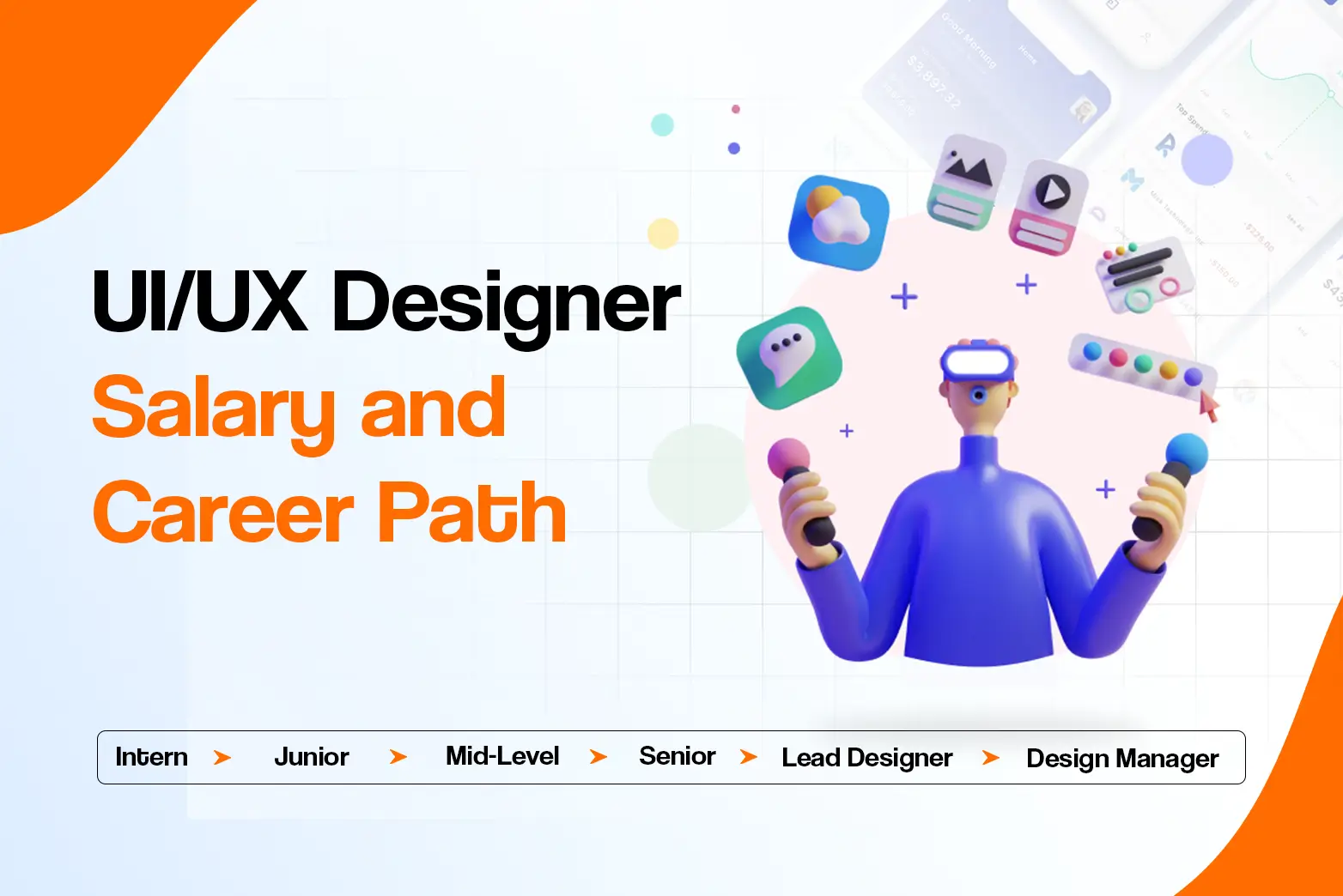
UI/UX Designer Career Path
Most UI/UX designer jobs in Nepal start at the entry level, and designers progress by gaining practical experience, building a strong portfolio, and taking on more responsibility over time.
| Career Stage | What You’ll Do |
| UI/UX Intern | Learn the design process, assist senior designers, and build foundational skills. |
| Junior UI/UX Designer | Design user interfaces, create wireframes and prototypes, and collaborate with developers. |
| Mid-Level UI/UX Designer | Lead projects, conduct user research, and solve more complex design challenges. |
| Senior UI/UX Designer | Manage design projects, mentor junior designers, and shape product strategy. |
| Lead Designer/ Design Manager | Oversee design teams, establish design standards, and drive the overall user experience across products. |
Is UI/UX design a good career? (Do you need to code?)
UI/UX design is a strong career choice for people who enjoy solving problems, thinking creatively, and improving digital experiences. As more businesses invest in websites, mobile apps, and digital products, the demand for skilled UI/UX designers continues to grow in Nepal and around the world.
One common concern among beginners is whether coding is required. The good news is that most UI/UX designers don’t need to know how to code. While basic knowledge of HTML and CSS can help you work more effectively with developers, employers place greater value on design skills, user research, and a strong portfolio.
Whether you want to join a software company, a startup, or work as a freelancer, building practical skills and real-world projects will give you the best chance of succeeding in the field.
Frequently Asked Questions
Is UI/UX design hard to learn?
UI/UX design is beginner-friendly, but it takes time and practice to master. Learning the fundamentals, working on real projects, and building a portfolio are the best ways to become job-ready.
Do UI/UX designers need to code?
No. Most UI/UX designers don’t need to code. However, basic knowledge of HTML and CSS can help you collaborate with developers and create practical designs.
What is the UI/UX designer salary in Nepal?
According to AITC Education’s 2026 Publication, UI/UX designers in Nepal typically earn NPR 30,000 to 50,000 (entry level), NPR 60,000 to 120,000 (mid level), and NPR 130,000 to 220,000+ (senior roles).
How long does it take to learn UI/UX design?
With consistent practice, many beginners can learn the fundamentals and build a portfolio in 3 to 6 months. Becoming job-ready depends on your skills, projects, and experience.
Which is better, UI or UX?
Neither is better. UI focuses on how a product looks, while UX focuses on how it works and how users experience it. Both are essential for creating successful digital products.
Do you need a degree for UI/UX design?
No. A specific degree isn’t required — employers care far more about your practical skills and portfolio than formal qualifications.