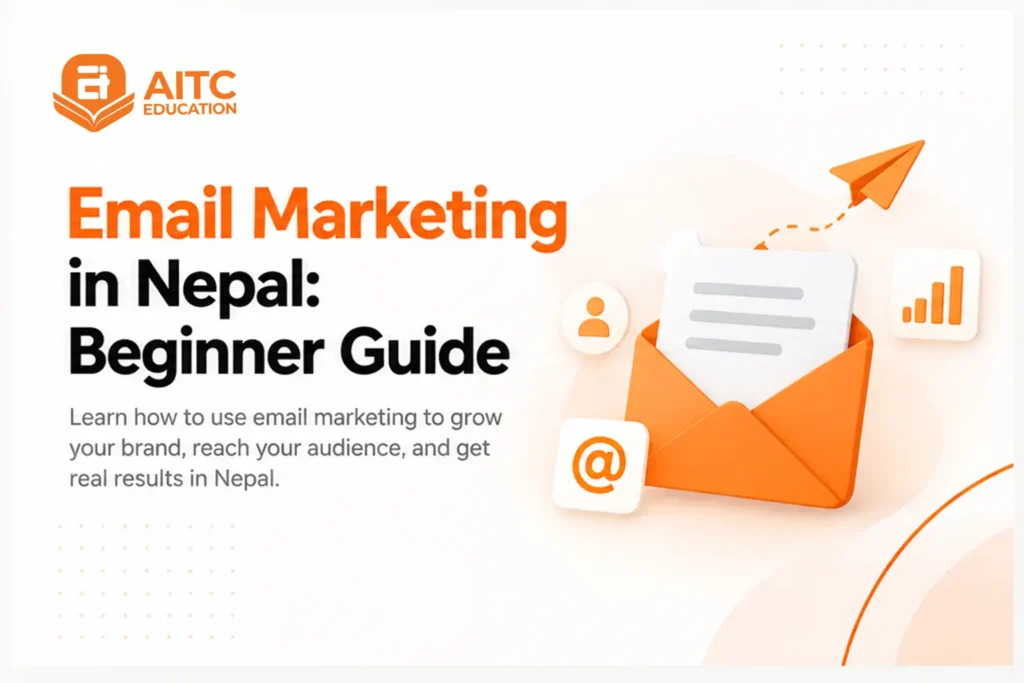
Email marketing helps businesses communicate directly with people who have agreed to receive their emails. From newsletters and promotions to product updates and follow-ups, businesses can use email to build relationships, encourage repeat purchases, and guide potential customers towards taking action.
This guide explains how to choose an email marketing platform, build a permission-based email list, create and send your first campaign, avoid common mistakes, track website actions, and measure your results.
What Is Email Marketing?
Email marketing is the use of email to reach, nurture, and retain customers for businesses and organizations, and to communicate with people who have agreed to receive messages. These messages can include newsletters, promotions, product updates, educational content, event announcements, and other information designed to inform, engage, or encourage an action.
A good email marketing strategy involves sending relevant content to different groups of subscribers, personalizing messages when useful, and using automation to respond to actions such as signing up or making a purchase.
Where Email Marketing Fits into Marketing in Nepal?
Email marketing works alongside other digital marketing channels rather than replacing them. Businesses can use social media to reach new audiences, search marketing to connect with people actively looking for products or services, and websites to provide information and collect enquiries. Email adds another channel for communicating directly with people who have already shown interest in a business’s product or service.
For businesses in Nepal, this can be useful at different stages of the customer journey. A business might attract someone through social media or Google Search, collect their email address through a sign-up form or event registration, or other permission-based interactions, and then use email to share useful information, follow up on an enquiry, promote an offer, or encourage a future purchase.
Email can also support ongoing customer communication after someone has already purchased or signed up. Newsletters, product updates, event announcements, and other relevant messages can help businesses stay connected with their subscribers without relying entirely on paid advertising or social media reach.
When Email Marketing Is a Good Fit?
Email marketing can be useful for businesses in Nepal that need to stay connected with potential or existing customers over time. It is especially relevant when a business has useful information to share, repeat customers to engage, or a longer decision-making process where people may need more than one interaction before taking action.
Email marketing can be a good fit if you:
- Have an audience willing to subscribe: Email works best when people willingly subscribe to receive updates, offers, or useful content.
- Want to nurture potential customers: Businesses selling courses, services, or higher-consideration products can use email to provide information and follow up with interested subscribers.
- Have repeat offers or updates: Retailers, ecommerce businesses, service providers, and event-based businesses can use email to share new products, offers, announcements, or upcoming events.
- Create content regularly: Businesses that publish useful articles, guides, tips, or newsletters can use email to bring subscribers back to their content.
- Want to build direct customer relationships: Email gives businesses a direct communication channel with subscribers instead of relying only on social media or paid advertising.
However, email marketing is not automatically the right choice for every business. If you do not yet have a permission-based audience, have little to communicate, or cannot consistently provide relevant content, building your email marketing system may not be the first priority.
Which Email Marketing Platform Should You Choose?
An email marketing platform, also called an email service provider (ESP), helps businesses collect subscribers, create emails, send campaigns, and monitor results from one place. For beginners, the right platform should be easy to use, support the features you need, and fit your budget as your email list grows.
When choosing a platform, look for features such as:
- Email list management: Organize subscribers and manage sign-ups, unsubscribes, and audience segments.
- Opt-in forms: Create forms that allow people to subscribe to your email list with their permission.
- Email templates and editors: Build newsletters and promotional emails without needing advanced design or coding skills.
- Segmentation and personalization: Send more relevant messages to different groups of subscribers.
- Automation: Set up emails that are triggered by actions such as signing up, making a purchase, or completing another activity.
- Campaign reporting: Track metrics such as clicks, conversions, bounces, and unsubscribes to understand campaign performance.
Popular email marketing tools for beginners include Mailchimp, Brevo, MailerLite, and HubSpot. Their features, pricing, and limits vary, so compare the plans and features available at the time you choose a platform rather than assuming one tool is always the best option.
If you are just starting, you do not need the most advanced platform available. Choose one that fits your current needs, budget, and list size, and gives you enough room to learn, build your list, and run your first campaigns before moving to more advanced features.
How to Start an Email Marketing Campaign (Step-by-Step)
The basic process is to decide what you want to achieve, identify who you want to reach, start with subscribers who have opted in to receive your emails, create a relevant email, set up the campaign, and check everything before sending.
1. Define Your Goal, Audience, and Offer
Start by deciding what you want the campaign to achieve. Your goal should be to promote a product, generate enquiries, share useful content, announce an event, or bring existing customers back to your business.
Next, decide who should receive the email and what you want to offer them. A campaign for existing customers may look very different from one designed to introduce a service to new subscribers. Keeping the audience and goal clear helps you decide what information to include and what action you want readers to take.
2. Build a Permission-Based Email List
An email campaign starts with people who have agreed to receive marketing emails from your business. You can build this list through website sign-up forms, newsletter subscriptions, registrations, enquiries, or other situations where people clearly choose to receive email communication.
Avoid buying email lists or adding people to your marketing list without their permission. A permission-based list is more appropriate for building long-term relationships and also helps reduce complaints, spam reports, and unnecessary messages to people who are not interested.
3. Create an Opt-In Form
An opt-in form gives visitors a clear way to subscribe to your emails. It can be placed on your website, landing page, blog, course page, or another relevant point where people may want updates.
Keep the form simple and explain what subscribers can expect to receive. Depending on your business, you might offer newsletters, useful resources, product updates, or other relevant content in exchange for a subscription.
4. Choose What to Send
Choose email content that matches your campaign goal and your subscribers’ expectations. Common formats include newsletters, promotional emails, product or service updates, informational content, event announcements, and follow-up emails.
Avoid sending emails simply because you have a list. Each campaign should provide useful information, a relevant offer, or a clear next step.
5. Write the Email
A basic marketing email usually includes a subject line, the main message, and a clear call to action. Keep the subject line relevant to the email and make the main message easy to scan. The content should give subscribers a clear reason to open and read the message.
Focus on one main idea rather than trying to communicate several unrelated offers in the same email. Use short paragraphs, clear headings, and relevant visuals where they improve understanding.
6. Add a Clear CTA
A call to action (CTA) tells the reader what to do next, so keep it clear and connected to the purpose of the email. Depending on your campaign, this could be visiting a webpage, registering for an event, reading an article, requesting more information, or making a purchase.
If the goal is to get subscribers to register for an event, for example, the CTA should make that action obvious rather than asking them to navigate through several unrelated pages.
7. Set Up the Campaign
Once your email is ready, add it to your chosen email marketing platform and configure the campaign settings. Select the correct subscriber list or audience, add the sender name and email address, write the subject line, and choose whether to send the campaign immediately or schedule it for later. Mailchimp’s Getting Started with Campaigns guide provides a practical example of this campaign setup process.
If your platform supports segmentation or personalization, use these features when they make the email more relevant to the recipient. You can also add tracking information, such as UTM parameters, when you want to understand how the email contributes to website activity.
8. Test and Send
Before sending the campaign to your full list, review the email carefully. Send a test email to yourself or another test address and check the subject line, formatting, images, links, CTA, sender details, and how the message appears on different screen sizes.
Once everything looks correct, select the intended audience and send or schedule the campaign. Then review how recipients respond to the email, including opens, clicks, and other relevant actions. Use these results to understand what worked and improve your next campaign.
Track Email Traffic with UTM Parameters
UTM parameters are tags added to a website URL to help identify where visitors came from. When you include a tagged link in an email, tools such as Google Analytics can use the information to show that the visit came from a specific email campaign.
The main UTM parameters beginners should understand are:
- utm_source: Identifies where the traffic came from, such as email.
- utm_medium: Identifies the marketing channel, such as email.
- utm_campaign: Identifies the specific campaign, such as a product launch or newsletter.
You can use additional parameters, such as utm_content, when you need to distinguish between different links or versions within the same campaign.
UTM parameters help you move beyond email metrics such as clicks and understand what happens after someone visits your website. By connecting email traffic with website activity, you can get a clearer picture of which campaigns are bringing visitors and supporting actions such as enquiries, registrations, or purchases.
Email Campaign Checklist
Before sending your campaign to the full audience, take a final look at the details that can affect how the email is received and understood. Use this checklist to catch common mistakes before the campaign goes out.
- Check the audience: Make sure the campaign is going to the correct subscriber list or segment.
- Review the subject line: Make sure it clearly reflects the content of the email and does not make misleading promises.
- Check the sender details: Confirm that the sender name and email address are correct and recognizable to subscribers.
- Test the links and CTA: Click every important link and make sure the call to action takes readers to the correct page.
- Review the content: Check the email for spelling, grammar, broken formatting, missing information, and incorrect details.
- Check images and layout: Make sure images load correctly, and the email is easy to read on both desktop and mobile screens.
- Check personalization: If you use a subscriber’s name or other personalized information, make sure the fields are working correctly.
- Check tracking: Confirm that any UTM parameters or other tracking settings have been added correctly.
- Check unsubscribe options: Make sure subscribers have a clear way to stop receiving marketing emails.
- Send a test email: Review the final version yourself before sending it to the full audience.
Once these checks are complete, you can send or schedule the campaign with greater confidence.
Measure and Improve Results
Sending an email is not the final step of an email marketing campaign. Reviewing the results helps you understand whether people opened the email, engaged with the content, and completed the action you wanted. Over time, this information can help you improve your emails and make future campaigns more effective.
Some of the main email marketing metrics to monitor include:
- Open rate: Shows the percentage of delivered emails recorded as opened. It can provide an indication of how well your subject line and sender information encourage opens.
- Click-through rate (CTR): Shows the percentage of recipients who clicked a link in the email. A low CTR may indicate that the content or CTA is not giving readers a strong reason to take the next step.
- Conversion rate: Measures the percentage of recipients who completed a desired action, such as making a purchase, submitting an enquiry, or registering for an event.
- Bounce rate: Shows the percentage of emails that could not be delivered. A high bounce rate can indicate problems with email addresses or list quality.
- Unsubscribe rate: Shows how many subscribers opted out after receiving the campaign. A rising unsubscribe rate may suggest that your emails are too frequent or not relevant to your audience.
Do not judge a campaign using only one metric. A high open rate does not necessarily mean the campaign generated sales or enquiries, just as a low number of clicks does not always mean the campaign failed. Look at the metrics together to understand the overall results and see whether the campaign achieved its goal.
How to Improve Future Campaigns?
Use your results to make specific changes to future campaigns. If people are opening your emails but not clicking, review the content, offer, links, and CTA. If clicks are strong but conversions are low, check the landing page and the next step in the customer journey.
You can also test different subject lines, email content, CTAs, sending times, or audience segments. Make one meaningful change at a time when possible so you can better understand what affected the results.
The goal is not to achieve a perfect result from your first campaign. Email marketing improves through repeated testing, measurement, and refinement.
Getting Started with Email Marketing: 7-Day Plan
If you are starting from scratch, you do not need to build a complete email marketing system in one day. Use the first week to learn the basics, set up your tools, create your first campaign, and review the results.
Day 1: Understand the Basics: Learn how email marketing works, understand subscriber consent, and review common campaign types such as newsletters, promotions, and customer updates.
Day 2: Choose Your Platform: Compare beginner-friendly email marketing platforms and choose one based on the features, audience size, and budget you currently need.
Day 3: Plan Your Campaign: Define your campaign goal, target audience, offer, and the action you want subscribers to take.
Day 4: Build Your Email List: Create an opt-in form and decide how you will encourage people to subscribe, such as through useful content, updates, or a relevant lead magnet.
Day 5: Create Your First Email: Write the subject line and email content, add a clear CTA, and include relevant links and visuals.
Day 6: Test and Send: Complete your pre-send checklist, send a test email, check the links and formatting, and schedule or send the campaign to your selected audience.
Day 7: Review and Improve: Check your campaign results, including clicks, conversions, bounces, and unsubscribes. Identify what worked and choose one or two things to improve in your next campaign.
By the end of the week, you should have more than theoretical knowledge. You should understand the basic workflow of email marketing and have a practical campaign you can learn from and improve.
If you want to develop email marketing as a career skill, consider a structured training program where you can learn through guided practice, get feedback from mentors, and work on practical projects. Career-focused programs may also offer placement assistance as you prepare for job opportunities.
Digital Marketing Training
Looking for digital marketing training in Nepal that goes beyond theory? Digital Marketing Fundamentals is built for students, job seekers,…
Email Marketing Training
Looking to build a career in email marketing and create campaigns that drive real business results? Our Email Marketing Training…
Conclusion
Email marketing can be a practical way for businesses to build direct relationships with customers, nurture potential buyers, and stay connected with existing audiences. But successful email marketing is not simply about sending more emails. It depends on building a permission-based list, sending relevant content, testing campaigns, and using performance data to improve over time.
For beginners, the best approach is to start small. Choose an email marketing platform, build your first subscriber list, create a simple campaign, and learn from the results. As you gain experience, you can introduce segmentation, personalization, automation, and more advanced tracking to improve your strategy.
If you want to build email marketing skills as part of a broader digital marketing career, AITC Education’s Advanced Digital Marketing Training covers email marketing alongside SEO, social media marketing, analytics, and other essential skills.
Frequently Asked Questions
What is email marketing?
Email marketing is using email to promote, inform, and engage with people about products or services who have agreed to receive messages from a business or organization.
How do beginners start email marketing?
Choose an email marketing platform, create an opt-in form, build a list of subscribers who have opted in, and send a simple campaign with a clear goal.
How can beginners build an email list?
Use website sign-up forms, newsletter subscriptions, registrations, enquiries, or relevant lead magnets to encourage people to subscribe.
How often should I send marketing emails?
There is no fixed frequency. Choose a schedule you can maintain consistently while keeping your emails useful and relevant.
How do I prevent marketing emails from going to spam?
Use a permission-based list, keep subscriber data clean, include an unsubscribe option, and set up email authentication such as SPF, DKIM, and DMARC.
What are the best email marketing tools for beginners?
Popular options include Mailchimp, Brevo, MailerLite, and HubSpot. Compare their features, pricing, and limits before choosing one.