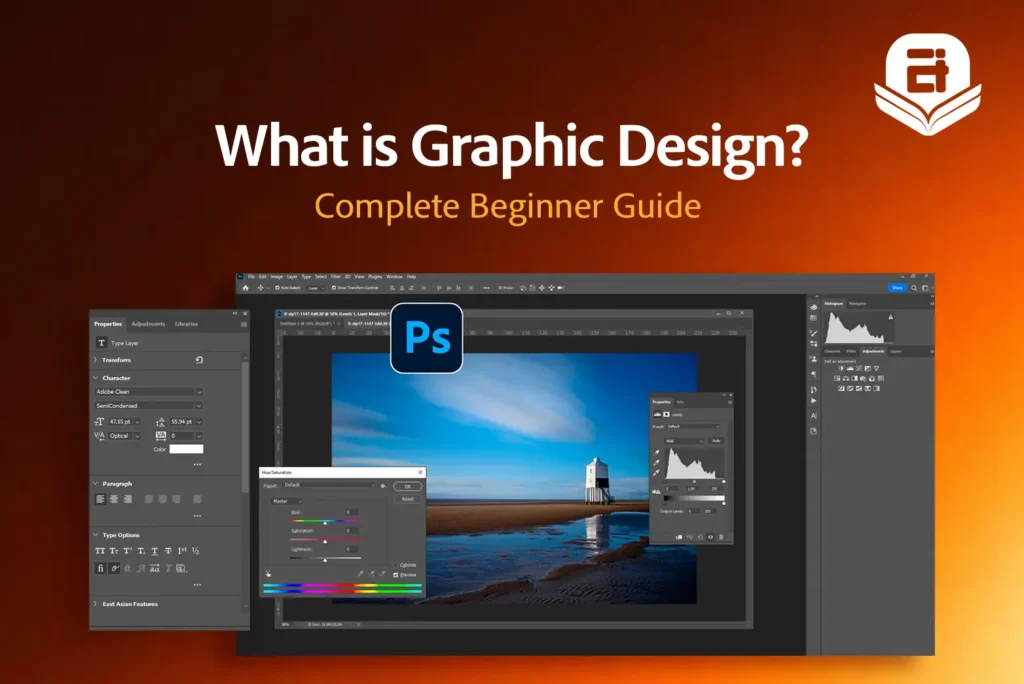
Graphic design is more than making things look attractive. It is the process of using visual elements to communicate ideas, solve problems, and help people understand information more effectively. From product packaging and billboards to mobile apps and digital advertisements, graphic design shapes how we experience brands and information every day.
As companies increasingly rely on visual communication to connect with their audiences, the demand for graphic design skills continues to grow. In this guide, you’ll learn what graphic design is, where it is used, the skills and tools designers need, and how you can start building a successful career in graphic design.
What is Graphics Design?
Graphic design is the practice of communicating ideas and information through visual elements such as typography, images, colors, shapes, and layouts. It combines creativity with strategy to communicate messages clearly across print and digital media. These graphic design basics provide the foundation for creating clear and effective visual communication.
Unlike art, which is often created for personal expression, graphic design is created with a specific purpose and audience in mind. Every design is intended to communicate a message, support a brand, promote a product, or help users interact with information more effectively.
Graphic design is used across industries, from marketing and publishing to education, retail, and technology. It helps businesses communicate clearly, strengthen their brand identity, and create better customer experiences.
What is the Purpose of Graphic Design?
The primary purpose of graphic design is to communicate information in a clear, engaging, and meaningful way. A well-designed visual helps people understand a message quickly, attracts attention, and encourages them to take action, whether that means purchasing a product, reading an article, or recognizing a brand.
Graphic design also allows companies to build a consistent visual identity and strengthen their brand image. Through the thoughtful use of colors, typography, layouts, and imagery, designers create materials that make brands more recognizable and improve the overall user experience across both print and digital platforms.
What is the Purpose of Graphic Design?
The primary purpose of graphic design is to communicate information in a clear, engaging, and meaningful way. A well-designed visual helps people understand a message quickly, attracts attention, and encourages them to take action, whether that means purchasing a product, reading an article, or recognizing a brand.
Graphic design also allows companies to build a consistent visual identity and strengthen their brand image. Through the thoughtful use of colors, typography, layouts, and imagery, designers create materials that make brands more recognizable and improve the overall user experience across both print and digital platforms.
The Role of Graphic Design in Everyday Life
Graphic design is part of our daily lives, even if we don’t always notice it. From product packaging and billboards to websites and social media posts, it ensures businesses and organizations share information in a clear and engaging way. Designers work across both print and digital media, making their skills valuable in many industries.
Print Graphic Design
Print graphic design focuses on creating visuals for physical materials such as brochures, business cards, posters, magazines, books, product packaging, banners, flyers, and signage. These designs are used for branding, marketing, publishing, and communication.
Print design remains important for books, magazines, packaging, marketing materials, and other physical products that people interact with every day.
Digital Graphic Design
Digital graphic design is created for websites, social media platforms, mobile applications, online advertisements, email campaigns, presentations, and other digital channels. These designs are optimized for screens while maintaining readability and visual consistency. Digital graphic design focuses on creating engaging visuals that are easy to view across different devices and screen sizes.
What Does a Graphic Designer Do?
A graphic designer creates visual content that presents information, supports brands, and solves visual communication problems. Depending on the project, they may create advertising campaigns, packaging, brand assets, website graphics, presentation materials, and promotional designs.
Their work involves understanding project goals, developing design concepts, presenting ideas, revising designs based on feedback, and preparing final files for print or digital use.
The Graphic Design Process
Step | What Happens |
Understand the Brief | Learn the project goals, target audience, brand guidelines, and design requirements. |
Research and Gather Inspiration | Study competitors, audience preferences, and existing design trends to generate ideas. |
Brainstorm and Sketch Concepts | Explore different layouts and visual concepts before creating digital designs. |
Create the Design | Develop the selected concept using typography, colors, images, and other design elements. |
Present and Collect Feedback | Share the design with the client or team and gather suggestions for improvement. |
Revise and Refine | Make changes based on feedback while improving clarity, consistency, and usability. |
Export and Deliver | Prepare the final files in the correct formats for print or digital use and deliver them to the client or production team. |
Graphic design is an iterative process, so designers often refine their work based on feedback before delivering the final version.
The Essential Elements of Graphic Design
The elements of graphic design are the basic building blocks used to create effective visual communication. Understanding how each element works helps designers organize information and create visually appealing layouts.
Elements | How It’s Used |
Line | Lines help divide content, guide the viewer’s attention, create structure, or connect different elements within a design. |
Shape | Shapes such as circles, squares, and custom illustrations help organize information, highlight important content, and create visual interest. |
Color | Colors influence emotions, improve brand recognition, create contrast, and help users focus on important information. |
Typography | Typography refers to the style and arrangement of text. Choosing the right fonts and spacing improves readability and strengthens the overall message. |
Texture | Texture adds depth and visual interest by creating the appearance or feel of a surface, even in digital designs. |
Space (White Space) | White space is an empty area between design elements. It improves readability, reduces clutter, and supports important content to stand out. |
Size and Scale | Designers use different sizes to create emphasis and show which information should be noticed first. |
Images and Illustrations | Photographs, icons, and illustrations support the message, capture attention, and make information easier to understand. |
A good design is not created by using more elements, but by using the right elements in the right way. Using these elements effectively ensures designers create visuals that are clear, balanced, and engaging.
Key Principles of Effective Graphic Design
The principles of graphic design explain how design elements should be arranged to create layouts that are clear, balanced, and easy to understand. Applying these principles allows designers to organize information clearly and guide the viewer’s attention.
Balance
Balance refers to the visual distribution of elements within a design. A balanced layout feels stable and organized, making it easier for viewers to focus on the content without feeling overwhelmed.
Contrast
Contrast creates a clear difference between design elements using color, size, shape, or typography. It allows important information to stand out, improves readability, and supports accessibility by making content easier to distinguish. The Web Content Accessibility Guidelines (WCAG) recommend minimum color contrast ratios to improve readability for all users.
Hierarchy
Visual hierarchy organizes information according to its importance. Designers use larger text, bold colors, spacing, and positioning to guide viewers through the content in the intended order.
Alignment
Alignment ensures that text, images, and other design elements are positioned in a structured and consistent way. Proper alignment creates a clean, professional layout and improves readability.
Proximity
Proximity means placing related elements close together while keeping unrelated elements apart. This makes it easier to organize information logically, reduces confusion, and allows viewers to quickly understand how different pieces of content are connected.
Repetition
Repetition creates consistency by using the same colors, fonts, icons, buttons, or other visual elements throughout a design. It strengthens brand identity, improves recognition, and gives the design a cohesive and polished appearance.
Emphasis
Emphasis draws attention to the most important part of a design, such as a headline, product, or call-to-action. Designers create emphasis through size, color, contrast, or placement.
White Space
White space, also known as negative space, is the empty area between design elements. It reduces clutter, improves readability, and allows important content to stand out.
What Are the Main Types of Graphic Design?
Graphic design includes several areas of specialization, each focusing on different communication goals and project types. Understanding these specializations can help beginners discover the area that best matches their interests.
Brand Identity Design
Brand identity design focuses on creating the visual identity of a business or organization. Designers develop logos, color palettes, typography systems, brand guidelines, and other visual assets that create a consistent and trustworthy brand image.
Marketing and Advertising Design
Marketing and advertising design promotes products, services, or campaigns through materials such as campaign visuals, display ads, email graphics, promotional banners, event materials, and digital content. This specialization requires designers to communicate messages quickly and clearly while maintaining a strong visual appeal.
Publication and Editorial Design
Publication and editorial design focuses on books, magazines, newspapers, reports, catalogs, newsletters, and other publications. Designers organize typography, spacing, grids, and layouts to make publications easy to read and visually engaging.
Packaging Design
Packaging design involves creating the visual appearance of product packaging, including labels, boxes, wrappers, bottles, and containers. Packaging designers must balance creativity with production requirements to ensure the final packaging looks attractive and can be printed accurately.
Web and Interface Graphics
Web and interface graphics include website banners, icons, illustrations, landing page graphics, and other branded assets used in digital products. Although it overlaps with UI design, graphic designers mainly create assets rather than designing the overall user experience.
Motion and Environmental Graphics
Motion graphics combine graphic design with animation to produce engaging content for videos, advertisements, presentations, and social media. Environmental graphics are designed for physical spaces, such as signage, exhibitions, retail stores, and office branding.
Graphic Design vs. Art, Illustration and UI/UX Design
Graphic design is often confused with art, illustration, and UI/UX design because all involve creativity and the use of visual media. While these fields share some skills and tools, they have different goals, processes, and outcomes. Understanding these differences can help beginners choose the right learning path and develop the skills that match their interests and career goals.
Discipline | Primary Purpose | Typical Output | Main Focus |
Graphic Design | Communicate a message or solve a visual communication problem | Logos, posters, brochures, social media graphics, packaging, advertisements | Clear communication through visual design |
Art | Express ideas, emotions, or personal creativity | Paintings, sculptures, digital artwork, installations | Personal or creative expression |
Illustration | Create original visuals to support a story, concept, or idea | Book illustrations, character designs, editorial artwork, concept art | Original drawings and visual storytelling |
UI/UX Design | Create digital products that are easy to use and visually appealing | Website interfaces, mobile apps, software dashboards, interactive prototypes | User experience and interface design |
Although these fields are different, they often work together on the same project. For example, a graphic designer may create a brand identity, an illustrator may produce custom artwork for marketing materials, and a UI/UX designer may design the company’s website or mobile application. Understanding where each discipline fits can help you choose the learning path that best matches your interests and career goals.
What Tools Do Graphic Designers Use?
Different tools support each stage of the design process, from editing images and creating illustrations to designing layouts and digital graphics. Learning these tools helps you work more efficiently and prepares you for real-world design projects.
Tools for Image Editing, Vector Design and Layout
Tool | Primary Use |
Adobe Photoshop | Editing photos, creating digital artwork, image manipulation, and designing graphics using raster images. |
Adobe Illustrator | Creating logos, icons, illustrations, and other vector graphics that can be scaled without losing quality. |
Adobe InDesign | Designing multi-page documents such as books, magazines, brochures, catalogs, and reports. |
CorelDraw | Creating vector graphics for logos, illustrations, signage, print materials, and packaging. |
Canva | Designing social media graphics, presentations, posters, and marketing materials using ready-made templates. |
Figma | Creating interface graphics, website layouts, collaborative design projects, and basic prototypes for digital products. |
Although different companies use different software, employers generally value your ability to solve design problems more than the number of tools you know. Building strong design fundamentals alongside practical experience with industry-standard software will prepare you for a wider range of graphic design projects.
Raster vs Vector Graphics
Graphic designers work with two main types of digital graphics: raster and vector. Understanding the difference helps you choose the right format for each project and avoid quality issues when exporting or printing your designs.
Raster Graphics | Vector Graphics |
Made up of tiny pixels. | Created using mathematical paths and shapes. |
Best for photographs and detailed digital artwork. | Best for logos, icons, illustrations, and typography. |
Lose quality when enlarged. | Can be scaled to any size without losing quality. |
Common file formats include JPG, PNG, and PSD. | Common file formats include AI, SVG, EPS, and PDF. |
As a beginner, you don’t need to memorize every file format. A simple rule is to use raster graphics for photographs and vector graphics for logos, icons, and illustrations. Choosing the right format maintains quality across both digital and print media.
What Skills Does a Graphic Designer Need?
Becoming a successful graphic designer involves more than learning design software. Employers look for professionals who understand design principles, communicate ideas clearly, and create visuals that solve real problems. Building both technical and creative skills will help you produce stronger designs and prepare you for a wider range of projects.
Design Fundamentals
A strong understanding of color theory, typography, layout, visual hierarchy, and composition forms the foundation of good graphic design. These skills help designers organize information, create visually balanced designs, and communicate messages effectively, regardless of the software they use.
Software Proficiency
Graphic designers should be comfortable using industry-standard tools such as Adobe Photoshop, Illustrator, and InDesign. As your skills grow, learning tools like Figma or Canva can also help you work on different types of design projects.
Creativity and Problem-Solving
Graphic design is about solving communication challenges, not just creating attractive visuals. Designers need to generate ideas, think from the audience’s perspective, and choose the best way to present information effectively.
Communication and Attention to Detail
Most design projects involve collaboration with clients, marketers, writers, and developers, making communication an important professional skill. Paying close attention to alignment, spacing, consistency, and file preparation also ensures the final design is accurate and ready for print or digital use.
How to Start Learning Graphic Design as a Beginner?
Learning graphic design for beginners can feel overwhelming because there are many tools and tutorials to choose from. If you’re wondering how to learn graphic design, start with the fundamentals, practice consistently, and build projects as your skills improve.
Start with one beginner-friendly design tool, create simple projects, and seek feedback to improve your work. As your confidence grows, build a portfolio that showcases your progress and design thinking.
If you prefer structured learning, AITC Education’s Graphic Design Course can help you gain practical experience with industry-standard tools and real-world projects.
A Step-by-Step Beginner Roadmap
- Learn Design Fundamentals: Understand how designers organize information, guide attention, and create balanced layouts. These concepts will help you make better design decisions regardless of the tools you use.
- Choose One Design Tool: Start with one tool, such as Adobe Photoshop, Canva, or Figma, instead of trying to learn multiple applications at once.
- Recreate Existing Designs: Practice by recreating posters, social media posts, or flyers to understand layout, spacing, and typography.
- Create Original Projects: Apply what you’ve learned by designing your own posters, logos, brochures, or social media graphics.
- Seek Feedback: Share your work with mentors, designers, or online communities to identify areas for improvement.
- Refine Your Designs: Improve your projects based on feedback and continue practicing to strengthen your skills.
- Build a Portfolio: Showcase your best work and explain the design decisions behind each project to demonstrate your problem-solving ability.
Beginner Graphic Design Projects
The best way to improve your graphic design skills is by creating real projects. They help you apply design principles, build confidence, and create portfolio pieces that showcase your abilities. If you’re just starting out, you can try creating projects such as:
- A poster for a fictional event
- Social media posts for a local business
- A simple logo and brand color palette
- A restaurant menu or brochure cover
- Product packaging for a fictional brand
- A promotional flyer or banner
- Website banners or landing page graphics
As you complete each project, explain the design goal, your target audience, and the decisions behind your color, typography, and layout choices. Employers often value your design thinking as much as the final visual.
Common Graphic Design Mistakes Beginners Make
Every beginner makes mistakes while learning graphic design, and that’s part of the learning process. Recognizing these common issues early can help you improve faster and create more effective designs.
- Using Too Many Fonts: Limit your designs to two or three complementary fonts to maintain consistency and readability.
- Overusing Colors: Too many colors can make a design look cluttered. Choose a simple color palette that supports your message and brand.
- Ignoring Alignment: Misaligned text and graphics make designs appear unorganized. Use grids and guides to keep elements properly aligned.
- Poor Visual Hierarchy: When every element looks equally important, viewers don’t know where to focus. Use size, color, and spacing to guide attention.
- Overcrowding the Layout: Filling every empty space with text or graphics can reduce readability. Leave enough white space to create a clean and balanced design.
- Using Low-Resolution Images: Blurry or pixelated images reduce the quality of a design, especially when printed. Always use high-resolution images whenever possible.
- Exporting in the Wrong Format: Different projects require different file formats. For example, PNG works well for digital graphics, while PDF is commonly used for print-ready files.
Career Opportunities in Graphic Design
Design skills are valuable across many industries because organizations rely on strong branding, marketing materials, and digital assets to connect with their audience. Graphic designers can work in advertising agencies, in-house marketing teams, publishing houses, technology companies, print and packaging businesses, or as freelancers. Understanding graphic designer salaries in Nepal can also help you evaluate potential career paths and opportunities.
Many graphic designers choose to specialize in a particular area such as brand identity, marketing and advertising, publication design, packaging, motion graphics, or web and interface design. Some professionals also expand their skills into related fields such as UI/UX design, digital marketing, or content creation.
For beginners, the best way to create career opportunities is by building a strong portfolio. It is one of the most important steps toward finding internships, freelance work, or full-time roles, as employers often value practical skills and real projects more than qualifications alone.
If you’re interested in exploring career paths and opportunities in graphic design, you can also read our guide on Graphic Design Career in Nepal.
Conclusion
Graphic design combines creativity and strategy to turn ideas into clear, engaging visual experiences. It’s a valuable skill that helps companies build strong brands, present information clearly, and create meaningful user experiences across print and digital media. By understanding design principles, practicing regularly, and building real projects, anyone can develop the skills needed to become a confident graphic designer.
If you’re ready to take the next step, explore the Graphic Design courses at AITC Education to learn industry-standard tools, work on practical projects, and build a portfolio that prepares you for real-world opportunities.
Frequently Asked Questions
What is graphic design in simple words?
Graphic design is the art of using text, images, colors, and layouts to communicate ideas and information visually.
What are the main types of graphic design?
The main types include brand identity, marketing and advertising, publication, packaging, web and interface graphics, and motion graphics.
What does a graphic designer do?
A graphic designer creates logos, advertisements, packaging, websites, and other visual materials that help businesses inform, promote, or engage their audience.
Is graphic design a good career?
Yes. Graphic design offers opportunities in agencies, businesses, publishing, technology, and freelance work for skilled designers.
Will AI replace graphic designers?
No. AI can assist with design tasks, but creativity, strategy, and problem-solving still require human designers.